Login & Authentication
How to login into the API and get the data?
To access the API, visit the Optifeed API Swagger page.
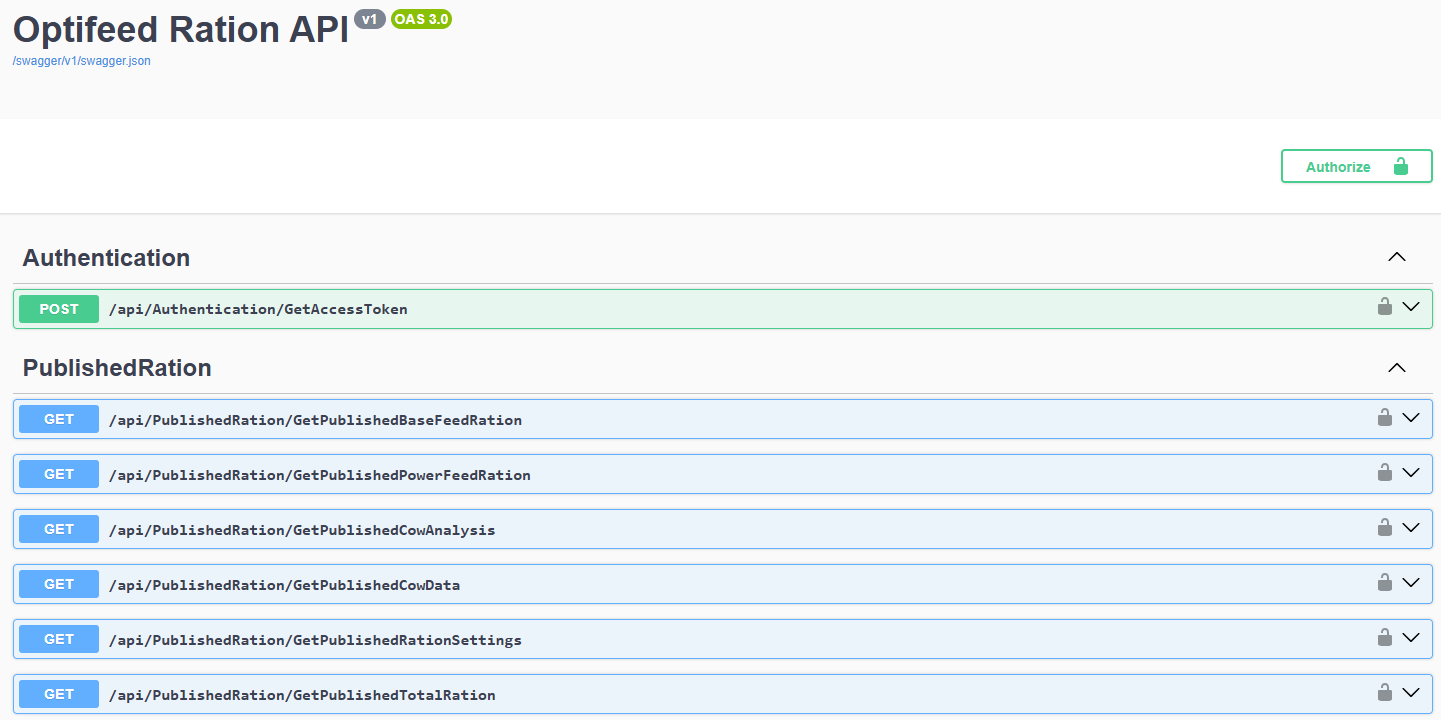
The login page
o log in:
- Expand the Authentication dropdown menu.
- Click Try it out.
- Enter your credentials in the clientid (username) and clientsecret (password) fields.
- Click Execute.
- Once successful, you’ll receive an authorization token.
- At the top of the page, click Authorize.
- In the popup window, paste your authorization token including also 'Bearer' before the token.
- You are now logged in and ready to access the data.
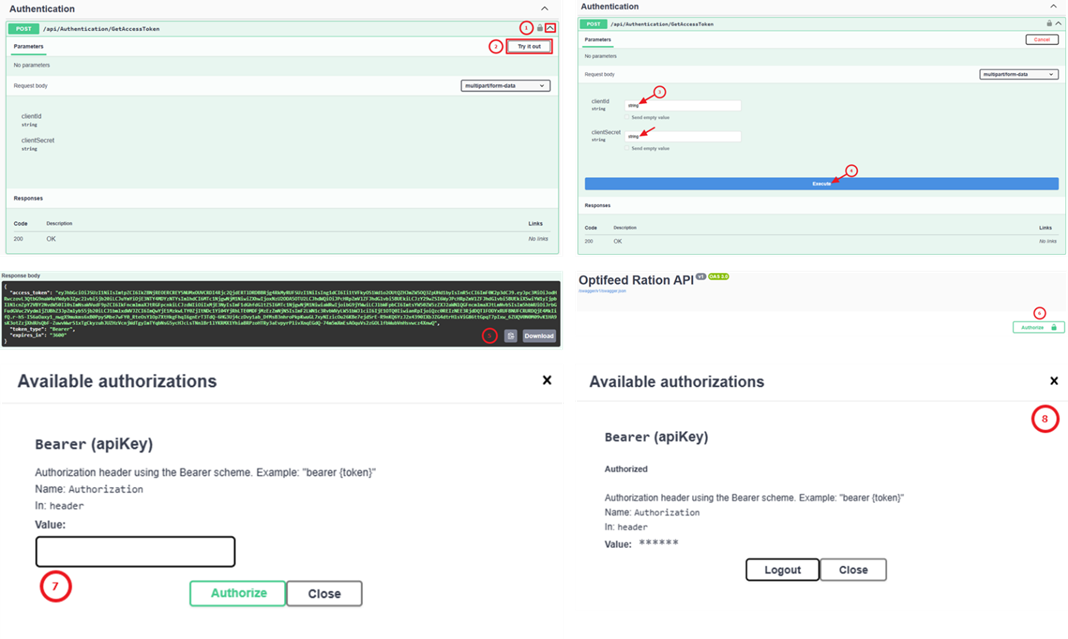
The authentication process
Was this article helpful?
That’s Great!
Thank you for your feedback
Sorry! We couldn't be helpful
Thank you for your feedback
Feedback sent
We appreciate your effort and will try to fix the article